
Your content optimization workflow,
from one sentence to content built to be quotable by AI.
This is ActiveGeo’s content optimization workflow, covering SEO content optimization and GEO content optimization in one pipeline. Nine steps run every time you press generate: angles, outline, research, draft, critic, fact-check, two scores, images, publish. You can drive every one of them, or set a schedule and let it run.
- Connect your site in about two minutes
- Nothing generates until you say so
- Nothing publishes without your approval
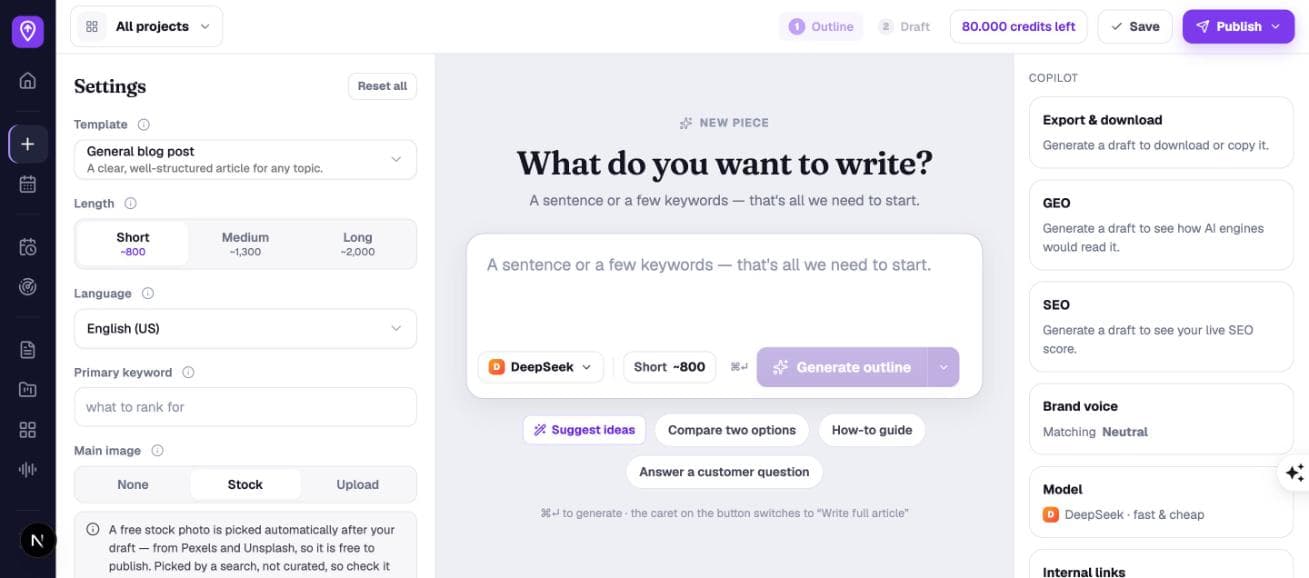
Connect once
WordPress in two clicks, or any stack (Next.js, Payload, Webflow, Ghost, custom) through a single signed POST. Roughly two minutes, once per site.
Generate, or schedule
Write one piece with your hands on the wheel, or hand over topics and a cadence. The identical content optimization workflow runs either way. Automation is not a cheaper mode.
It lands on your site
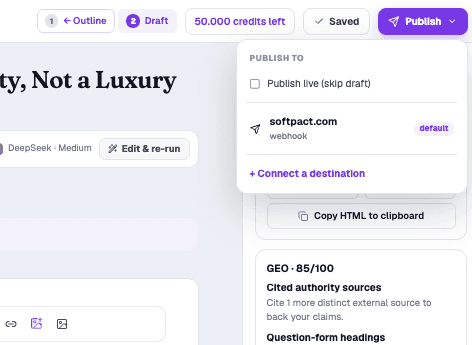
As a draft you approve, or live. Structured data, canonical URL and freshness date arrive intact, and re-publishing updates the post instead of duplicating it.
What actually happens
when you press generate.
No step is a black box. Each one shows you what it did as part of the content optimization workflow, and every single one can be stopped, edited or re-run before the next begins.
Point it at your website.
A project holds your URL and the connection that publishes to it, so the GEO checks, the internal links and the canonical URLs all point at the same place. Paste the URL and ActiveGeo reads your site and drafts its own business context: what you sell, who you sell it to, how you position it. You edit that; it then grounds every article you write.
- WordPress · plugin or app password
- Webhook · any stack
- Context auto-extracted
- ~2 minutes
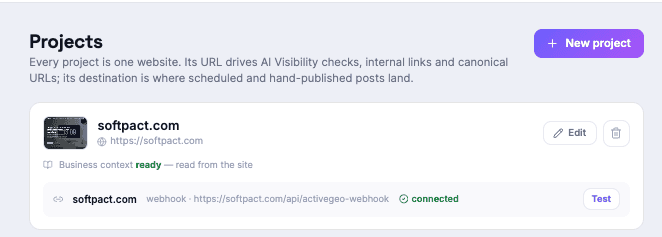
Two words in. Eight angles out.
Type “ai best tools” and you get eight distinct takes on it, each one labelled: informative, actionable, opinion, with a paragraph explaining what that article would argue. Not eight rewordings of your keyword: eight genuinely different articles.
They are drawn from your project’s business context, so they reference what you actually sell and who you sell it to. Don’t like them? Suggest more, or dismiss the lot and write your own angle. It costs nothing to look.
- 8 angles at a time
- From your business context
- 23 templates
- Suggest more, free
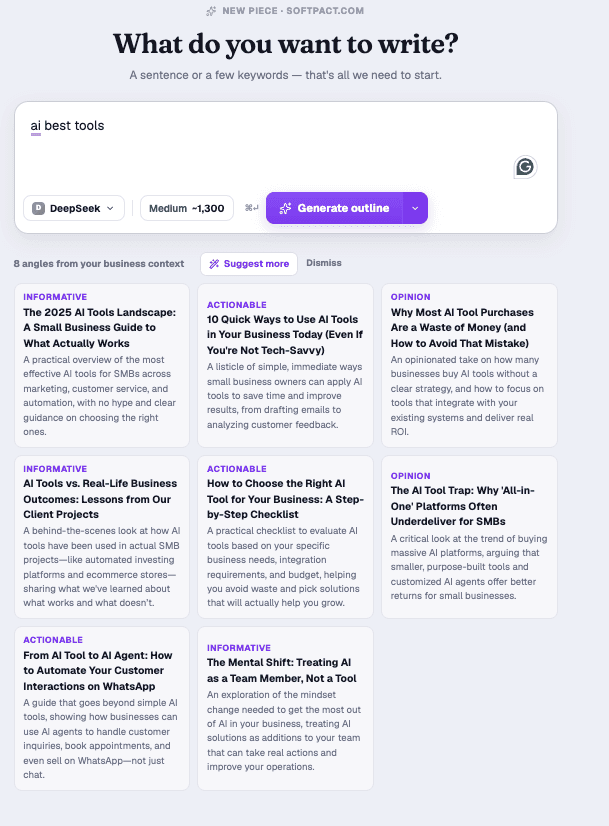
The outline is the contract.
Before a word is written you get the whole section plan, H2s and H3s, and the screen says it out loud: reorder, rename or untick sections, this is the contract for your draft. Drag a section, delete one, add your own. The draft then follows it exactly, which is why shaping structure here is free and fixing it afterwards is a rewrite.
Two buttons underneath do the work most people skip. Suggest questions to answer pulls the real People-Also-Ask questions for your topic. Click one and it becomes a section, because answering them is what makes you eligible to be cited. Analyze competitors reads what already ranks. And an FAQ block is built in.
- Drag to reorder
- People-Also-Ask questions
- Analyze competitors
- FAQ block included
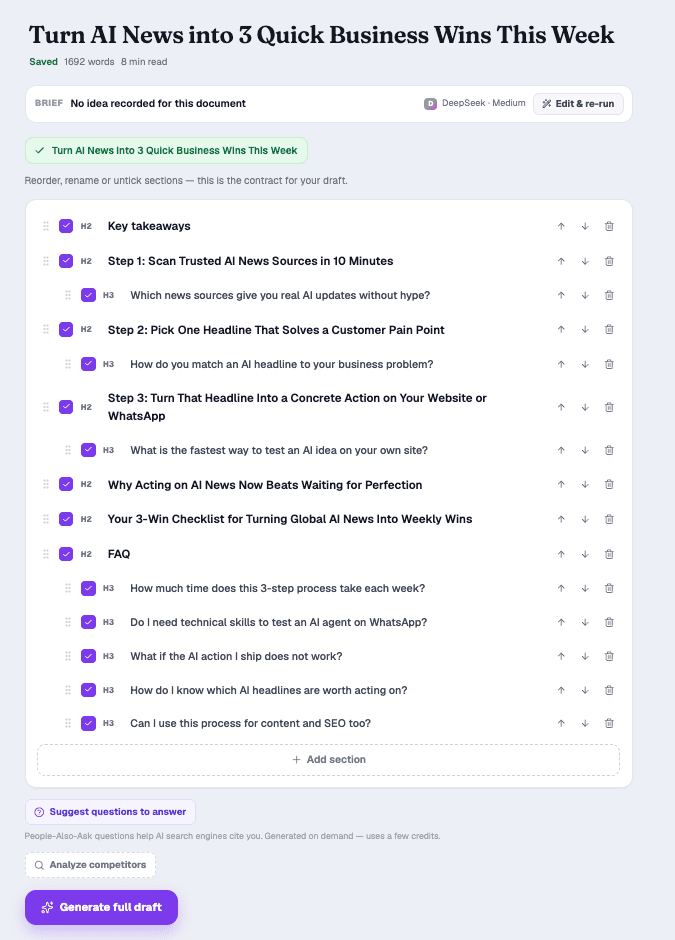
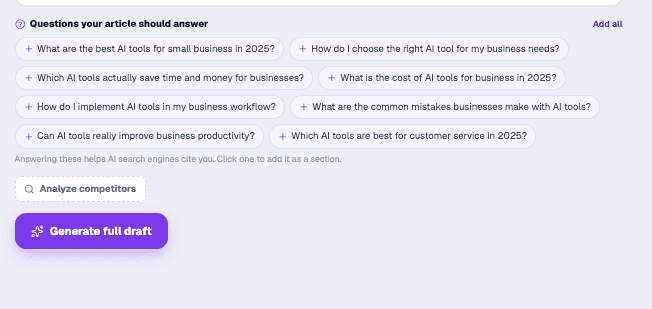
It reads before it writes.
Live web search runs during the outline step and feeds current facts and real, citable URLs into the draft. Two rules make it trustworthy: it never invents a source, so if research finds nothing, a claim stays unsourced rather than fabricated, and it never blocks your draft. If a search times out at 12 seconds the article is still written, just with less sourcing.
- ~1 search per article
- 12s timeout, non-blocking
- Real URLs only
- Pro & BYOK
Fabricated links are stripped before the draft reaches you. You never see one, so you can never publish one.
The draft types itself in.
The article streams into a Notion-style editor section by section, with first words in under a second and a status line telling you which phase it is in, so it never looks frozen. You read along instead of watching a spinner. Then select any line to rewrite, tighten, expand or shift its tone, and nothing changes in the document until you accept the proposal.
- Streams live
- 5 models
- Continuous autosave
- 10-second undo
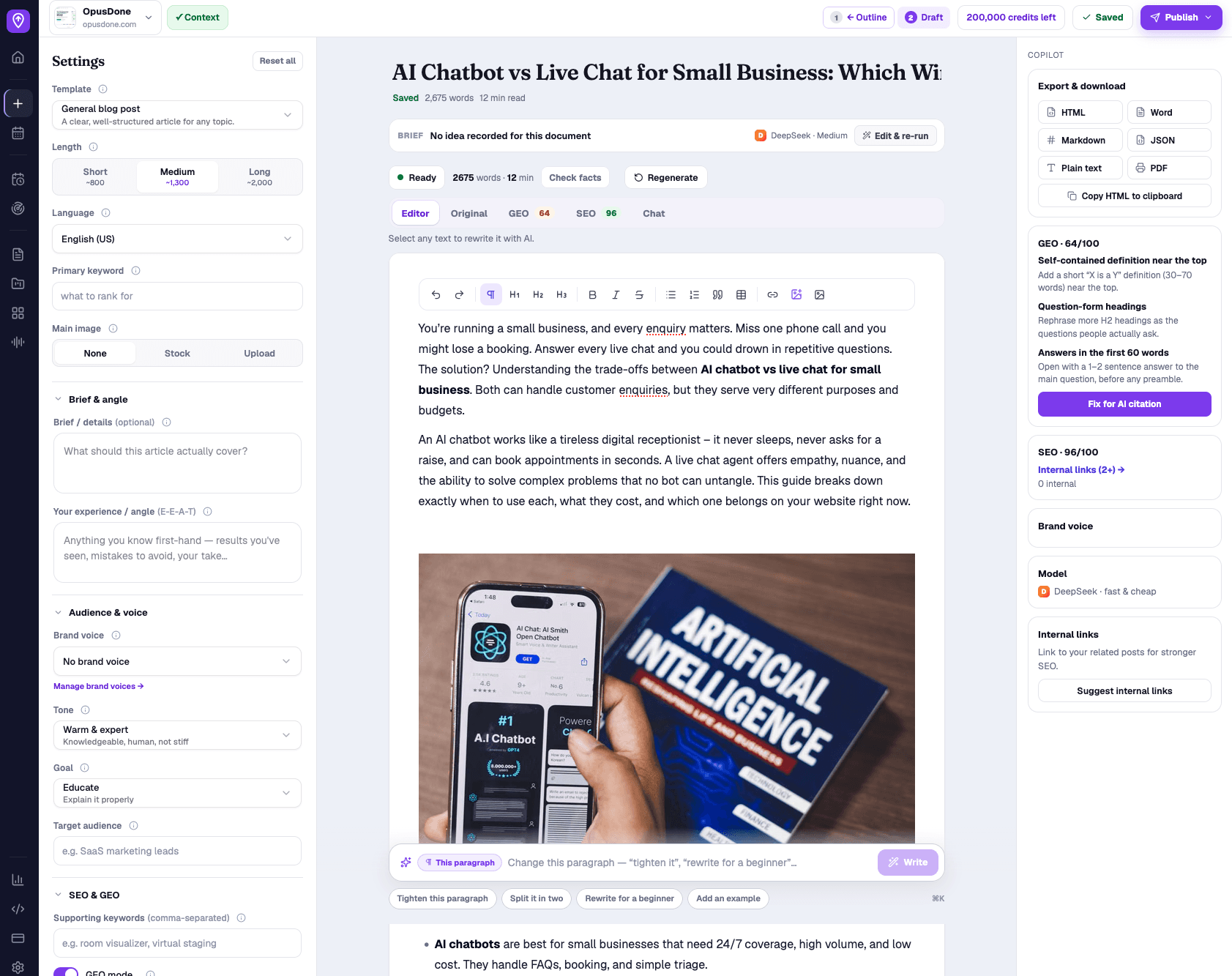
Something reads it back to you.
A critic scores the draft out of 10 and hands you up to five concrete, actionable issues, and it knows your template, so it flags a missing required section rather than “make it punchier”. One click rewrites for exactly those issues while keeping your topic, order and headings. Separately, Check facts marks each claim supported, unsupported or unverifiable, and it will never “verify” something it cannot actually check.
- 0–10 with a verdict
- ≤5 concrete issues
- Template-aware
- Never invents a source
2 issues worth fixing before publish.
Two scores. Never merged.
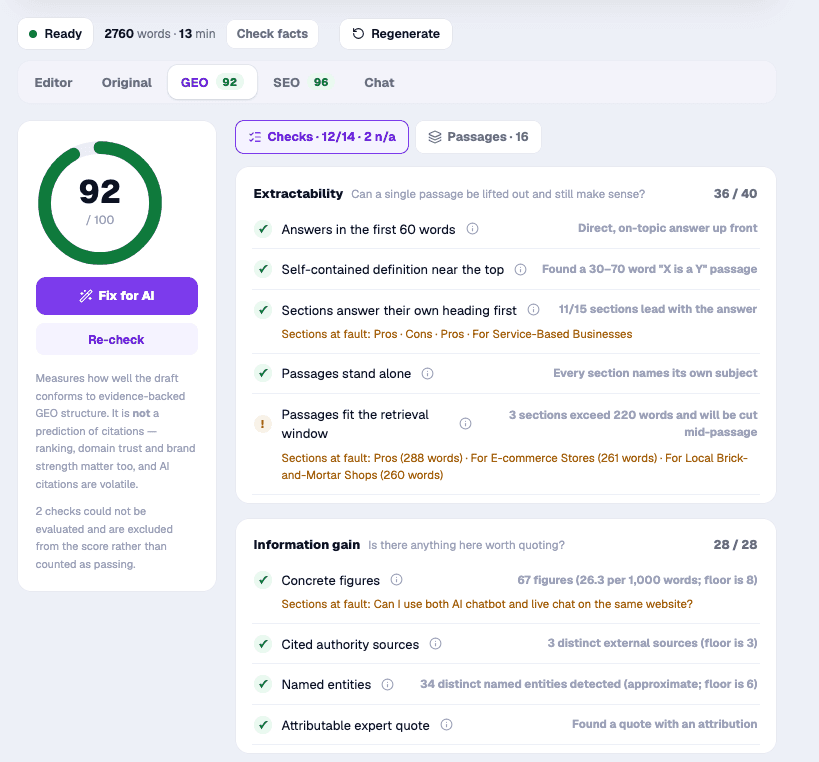
This is where SEO content optimization and GEO content optimization happen side by side. SEO says whether Google will understand the page, based on 13 on-page checks against your keyword. GEO says whether an assistant could lift a passage out and cite you, based on 16 deterministic checks across extractability, information gain, query match and machine readability. They sit side by side and are never averaged, because they sometimes disagree and hiding that would be a lie.
Both scores are free and instant. The number costs nothing, as often as you like. Only asking AI to fix what failed draws credits.
- SEO · 13 checks
- GEO · 16 checks
- Weakest passages named
- Scoring is free
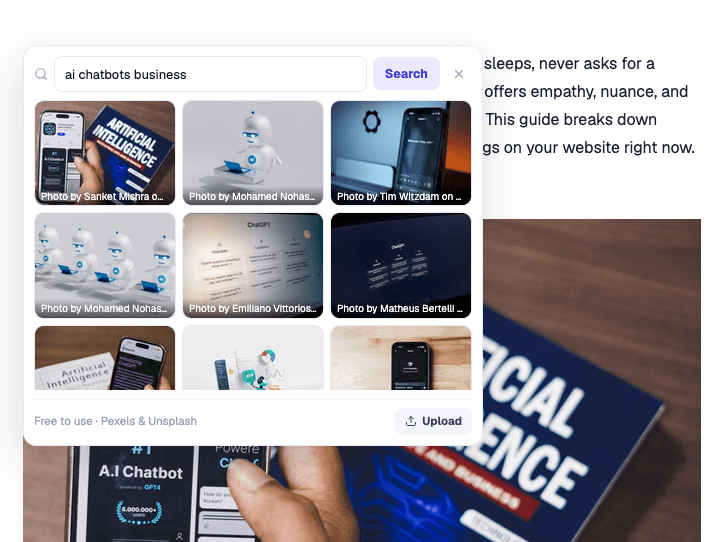
It finds the pictures for you.
Turn images on and you never open a stock site again. ActiveGeo reads what the article is about, searches free licensed photography itself, places the image and writes the attribution, all while you were doing something else.
Don’t like what it picked? Click the image and swap it in about five seconds: search again in the editor, upload your own, or set one brand hero that every future post reuses. And it all stays off until you switch it on, so nothing random ever appears on your live blog.
- Picked and placed for you
- Swap in one click
- Free & licensed, auto-credited
- Off until you say so
Everything you optimised survives the trip.
Most tools do the GEO work and then throw it away at publish time. Every destination here receives ready-made JSON-LD, a canonical URL and an accurate modified date. Publish the same piece to three places and the first live URL owns the canonical while the rest declare it, so your own pages stop competing for the same citation. Re-publishing updates the post rather than duplicating it, and if WordPress silently drops a field you are told, because a publish with warnings is not a clean success.
- JSON-LD + canonical + dateModified
- Draft or live
- Updates, never duplicates
- Warns on silent drops
Then it does all nine without you.
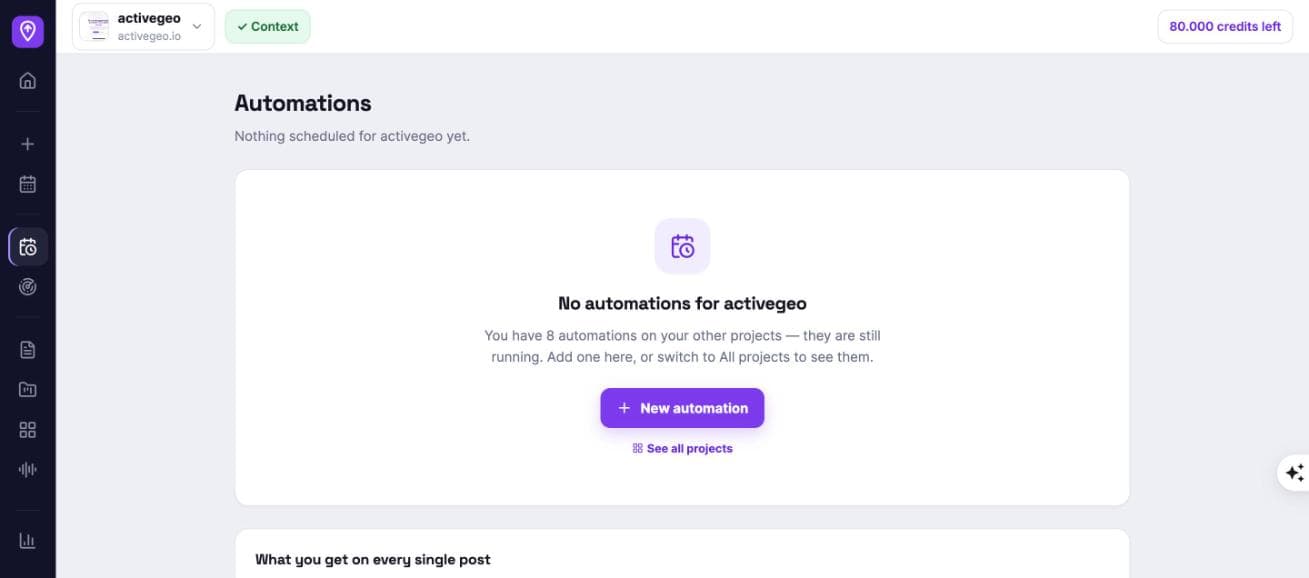
Give a schedule your topics, a cadence and a destination once. Every run repeats the same content optimization workflow automatically: research, outline, draft, critic, score, images, publish, and files a finished post to your site. Hourly to monthly at a time in your own timezone, DST-safe, one to five posts per run.
Two guardrails matter more than the rest: set a minimum GEO score and anything below your standard waits in the review queue instead of going live, and a schedule that runs out of credits pauses itself rather than retrying into the void.
- Hourly → monthly, DST-safe
- 1–5 posts per run
- Minimum-GEO-score gate
- Review queue or auto-publish
- Topics rotate, never repeat
- Auto-pauses when credits run out
And you can see the whole month.
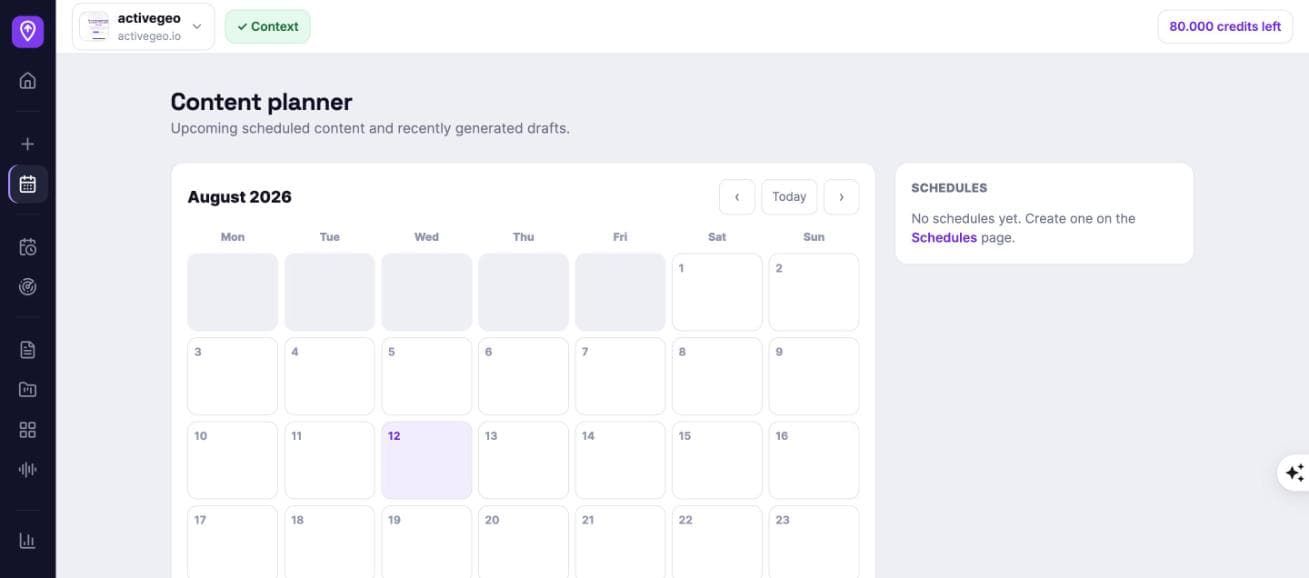
Every upcoming run and every generated draft on one calendar, per site. A gap in your publishing shows up on the planner weeks before it shows up in your analytics, which is the entire point of planning content rather than remembering to write it.
One meter. No article limit.
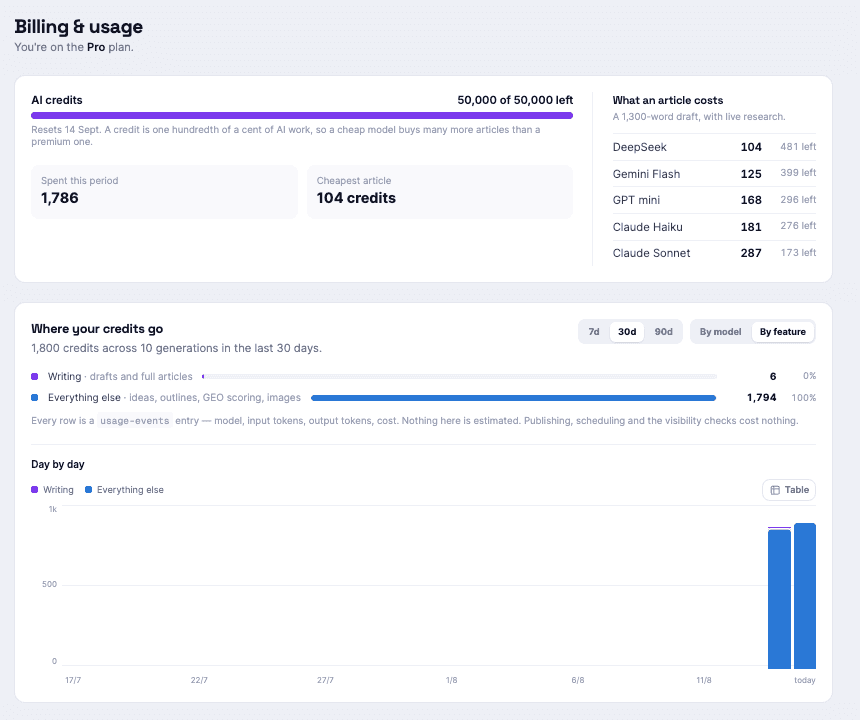
Everything AI does across your content optimization workflow draws from one credit balance: writing, revising, scoring fixes. There is no “5 articles a month” ceiling on top, because two meters means one of them is a lie.
A credit is one hundredth of a cent
So a 1,300-word draft with live research is 104 credits on DeepSeek and 287 on Claude Sonnet: the same article, priced by the model you chose. You see it before you spend it, and afterwards, broken down by model and by feature.
Or bring your own key
Plug in your Anthropic, OpenAI, Google or DeepSeek key and generation is unmetered. You pay your provider directly and we add no markup on a single token. Keys are encrypted and only ever shown masked.
Free is genuinely free
No card, no countdown, and it does not expire. Enough credits for a few full articles on your own site, with the whole editor and every template unlocked. Publishing, scheduling and the visibility checks cost nothing on any plan.
What this deliberately does not do.
The GEO content optimization market is full of things that sound right and do not survive testing. We leave them out, and we tell you why rather than quietly selling them.
- No llms.txt generation. Tested across roughly 300,000 domains with no measurable effect on citations. Google compared it to the meta keywords tag.
- No blended “AI visibility score”. Only about 3.8% of sources are cited by all four major engines. One number would hide more than it showed.
- No guaranteed-citation claims. Only around 10.6% of cited URLs are still cited 28 days later. Anyone promising a stable position is selling noise.
- No research on unattended runs, by default. Schedules and API calls do not search the web unless an admin turns it on. An unwatched job would quietly drain a shared allowance.
Questions
Do I need WordPress?
No. WordPress connects in two clicks, but any platform works through a signed webhook: we send the finished post to one small endpoint on your site. Next.js, Payload, Webflow, Ghost and custom stacks all go this way.
Can I review everything before it goes live?
Yes, and that is the default. Every scheduled post can wait in a review queue for one-click approval. You can also set a minimum GEO score so anything below your bar is held automatically, even with auto-publish on.
Do the SEO and GEO scores cost credits?
No. Both the SEO content optimization score and the GEO content optimization score are calculated instantly and cost nothing, as often as you like. Only asking the AI to fix what failed draws credits, because that is a model writing for you.
What happens if the research finds nothing?
The article is still written. Research never blocks a draft, and it times out at 12 seconds. Claims simply stay unsourced. Nothing is fabricated to fill the gap, and any URL the model invents is stripped before you see it.
Will my scheduled posts repeat the same topics?
No. Topics rotate one per run. When your list is exhausted you choose: keep generating fresh AI topics, or stop.
Can I use it without publishing to a site at all?
Yes. Plenty of people never connect a destination. Write in the studio and export as HTML, Word, Markdown, JSON, plain text or PDF. The connection unlocks publishing and the visibility checks; it is not required to write.
How long does it take to connect?
About two minutes: add your site, paste a signing secret, hit Test. Then you can schedule or generate immediately.
Nine steps. About four minutes.
Your first one is free.
No card, no call, no countdown. Try the content optimization workflow on your own site and judge it on the result.